Ready for cloud migration? Let’s make it seamless.
Migrate Legacy Applications to the Cloud Successfully
24 FEBRUARY
Modern businesses are under constant pressure to innovate and stay competitive. Many still rely on legacy applications — software systems designed years ago, often running on outdated hardware or technology stacks. While these applications continue to support essential business functions, they slow growth, inflate costs, and limit scalability.
Migrating legacy applications to the cloud is no longer optional — it’s a strategic move to unlock agility, security, and new business opportunities. In this guide, we’ll explore how to execute a successful legacy to cloud migration, step by step, with proven cloud migration best practices.
Quick Stat: According to Flexera’s State of the Cloud Report, 94% of enterprises now use cloud services, yet legacy systems remain the #1 barrier to full digital transformation. This guide helps you bridge that gap.
Understanding Legacy Applications
A legacy application is typically a system built using older programming languages or platforms that may no longer support modern business requirements. These systems are often deeply embedded in business operations, which makes migration challenging but also essential. Common examples include:
On-premises ERP or CRM systems (e.g., older SAP or Oracle deployments)
Custom-built internal tools developed over a decade ago
Applications relying on outdated databases or end-of-life operating systems
Monolithic applications with tightly coupled components
Why Legacy Systems Become a Liability
Legacy systems often face compounding challenges that erode business performance over time:
High Maintenance Costs
Aging infrastructure demands expensive specialists and spare parts that are increasingly scarce.
Slow Performance
Outdated systems struggle to handle modern workloads, impacting employee productivity and customer experience.
Security Vulnerabilities
End-of-life software no longer receives security patches, creating critical compliance and breach risks.
Integration Gaps
Legacy apps struggle to connect with modern APIs, SaaS tools, and cloud-native services your business relies on.
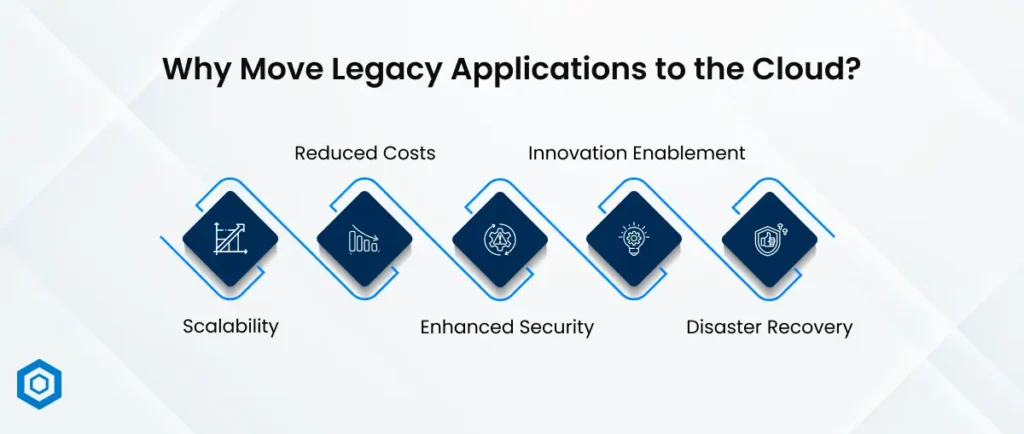
Why Move Legacy Applications to the Cloud?
Businesses that adopt a structured cloud migration strategy for legacy applications gain lasting competitive advantages. Here’s what you unlock:
Scalability Easily scale resources up or down based on real-time business demand. Eliminate the limitations of static servers with flexible, on-demand infrastructure.
Reduced Costs Minimize hardware, licensing, and maintenance expenses. Pay only for what you use with a flexible pay-as-you-go pricing model.
Enhanced Security Protect sensitive data with enterprise-grade encryption and monitoring. Built-in IAM, compliance frameworks, and SIEM tools strengthen your security posture.
Innovation Enablement Accelerate innovation with access to AI, analytics, and automation tools. Leverage ML services, serverless computing, and APIs to build smarter solutions.
Disaster Recovery Ensure business continuity with automated backups and rapid failover systems. Geo-redundant storage and DRaaS minimize downtime and data loss.
Global Reach Deploy applications closer to users across multiple regions worldwide. CDNs and multi-region infrastructure deliver low-latency, high-performance experiences.
Executing a successful migration requires careful planning. Follow this legacy to cloud migration guide:
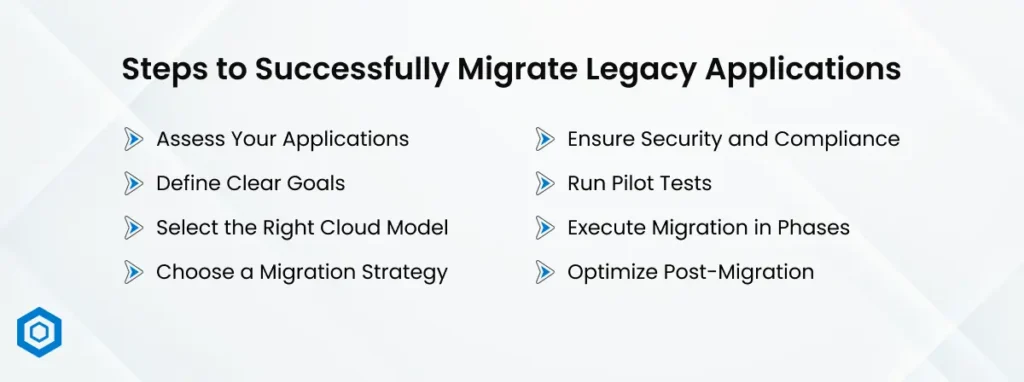
1. Assess Your Applications
Start by reviewing all existing applications:
Identify business-critical systems.
Map dependencies between applications, databases, and services.
Evaluate performance, support needs, and technical debt.
This analysis helps prioritize which applications to migrate first.
2. Define Clear Goals
Set measurable objectives for migration:
Are you aiming to reduce infrastructure costs?
Do you want improved application performance?
Is modernization your priority to support new digital services?
Clear goals help align your cloud migration best practices with business outcomes.
3. Select the Right Cloud Model
Your choice of cloud environment depends on security, compliance, and scalability requirements:
Public Cloud: Ideal for flexible, cost-effective workloads.
Private Cloud: Provides more control and security for sensitive applications.
Hybrid Cloud: Combines cloud and on-premises systems for flexibility.
4. Choose a Migration Strategy
Different applications may require different approaches:
Lift-and-Shift (Rehosting)
Move applications as-is to the cloud. Fast but may not leverage cloud features fully.
Refactor / Re-architect
Modify the application to take advantage of cloud-native features.
Rebuild
Completely rebuild applications on cloud-native frameworks.
Replace with SaaS
Swap legacy systems for cloud-based solutions.
5. Ensure Security and Compliance
Cloud migration must address security risks:
Encrypt data at rest and in transit.
Implement strong authentication and access control.
Ensure compliance with regulations such as GDPR, HIPAA, and industry-specific standards.
6. Run Pilot Tests
Before migrating everything:
Test applications in a cloud environment.
Check integrations, performance, and user experience.
Refine your migration plan based on test results.
7. Execute Migration in Phases
Avoid migrating all applications at once:
Prioritize critical systems first.
Monitor performance during migration.
Adjust resources and configurations as needed.
8. Optimize Post-Migration
After migration:
Use auto-scaling and serverless options to reduce costs.
Monitor application performance continuously.
Implement CI/CD pipelines for faster updates and improvements.
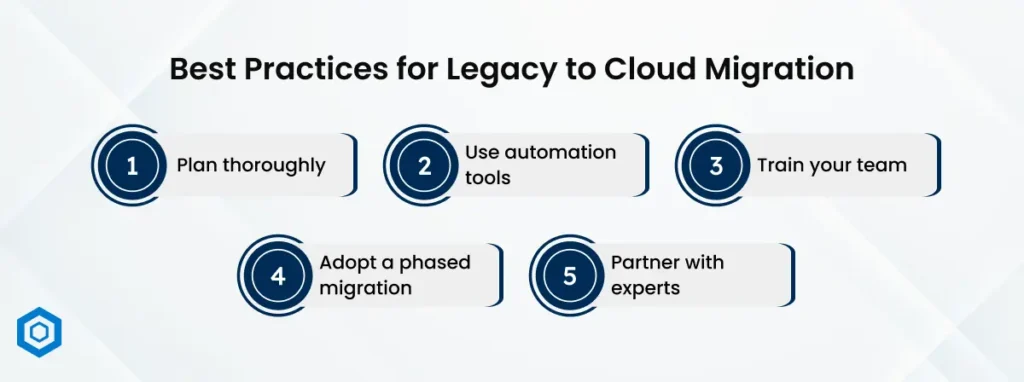
Best Practices for Legacy to Cloud Migration
To ensure success:
Plan thoroughly: Map dependencies, risks, and resources.
Use automation tools: Reduce manual errors and speed up migration.
Train your team: Make sure your IT staff can manage cloud environments.
Adopt a phased migration to minimize downtime and disruptions.
Partner with experts: Cloud specialists ensure smoother transitions.
Overcoming Common Challenges
Integration Issues: Use APIs or containers to connect old systems to new cloud services.
Downtime Risks: Schedule migrations in phases and use failover strategies.
Data Security Concerns: Encrypt data, monitor access, and apply cloud-native security tools.
Why Choose Codeflash Infotech?
At Codeflash Infotech, we specialize in helping businesses migrate legacy applications safely, efficiently, and with minimal disruption. Our end-to-end cloud migration services cover the full journey:
Tailored cloud migration strategies for legacy applications of any complexity
Full application assessment, dependency mapping, and migration planning
End-to-end project management, testing, and phased deployment
Post-migration support, cost optimization, and continuous monitoring
DevOps & CI/CD pipeline setup for accelerated delivery post-launch
We have helped clients across fintech, healthcare, SaaS, eCommerce, and logistics modernize legacy systems without business disruption. Read verified client reviews on Clutch.co or explore our project portfolio.
Conclusion
Migrating legacy applications to the cloud is a strategic investment that boosts efficiency, security, and growth potential. By following this legacy to cloud migration guide and implementing cloud migration best practices, organizations can modernize without disrupting business operations.
Let Codeflash Infotech help you turn your legacy systems into modern, cloud-ready applications that drive innovation and growth.