Complete Guide to Video Conferencing App Development (Features, Cost & Steps)
Video Conferencing App Development Cost, Features & Steps
17 February
Video communication has become a core part of how modern businesses operate. From remote team meetings and online learning to telemedicine and customer support, video conferencing apps are now essential digital tools. As more companies seek secure, branded communication systems, demand for custom video conferencing app development continues to rise.
In this complete guide, we will explore what a video conferencing app is, the most important features, the full development process, and a realistic breakdown of the cost to develop a video conferencing app. This article is designed to help startups and enterprises plan and build their own video platforms. If you’re planning to build a scalable digital product, explore our Custom Software Development Services to understand how we help startups and enterprises launch high-performance applications.
What Is a Video Conferencing App?
A video conferencing app is software that allows users to communicate in real time via video, audio, and text over the internet. Unlike basic calling apps, modern video conferencing platforms support multiple participants, screen sharing, chat, file transfer, and cloud-based recording.
Businesses today prefer custom platforms instead of third-party tools because they offer better data privacy, stronger branding, and complete control over features. A custom-built video conferencing app can be tailored for specific industries such as education, healthcare, corporate training, fintech, and customer support.
Why Businesses Are Investing in Video Conferencing App Development
The shift towards remote work and digital services has made video communication unavoidable. Companies are investing in video conferencing app development because it reduces travel costs, increases team productivity, and enables global collaboration without physical limitations.
For startups, a custom video platform can become a product in its own right, generating revenue through subscriptions, enterprise licensing, or pay-per-use models. For enterprises, it helps with internal communication, employee training, virtual onboarding, and client meetings — all within their own secure ecosystem.
Core Video Conferencing Features Explained
Security and Data Protection
End-to-end encryption, secure cloud infrastructure, and access controls ensure that meetings remain private and protected from unauthorized accessThe success of any video conferencing platform depends on how smooth and reliable the user experience is. The most important video conferencing features are not just technical add-ons but directly affect user retention and business value.
User Authentication and Profile Management
This allows users to create accounts, manage profiles, and access meetings securely. It usually includes email or mobile login, password recovery, social sign-in, and role-based access for admins, hosts, and participants.
Real-Time Video and Audio Communication
This is the foundation of the app. The system must deliver low-latency, high-quality video and audio even with unstable internet connections. Technologies like WebRTC are commonly used to ensure smooth real-time streaming.
Screen Sharing and Presentation Tools
Screen sharing enables users to display their entire screen or specific applications. This feature is critical for online teaching, sales demos, training sessions, and internal reviews.
Live Chat and File Sharing
In-meeting chat allows participants to communicate without interrupting the speaker. File sharing lets users exchange documents, images, or links during sessions, improving collaboration.
Call Recording and Cloud Storage
Recording meetings is important for future reference, training, or compliance. These recordings can be stored locally or on cloud servers and accessed later by authorized users.
Advanced Features for Enterprise Solutions
Advanced platforms often include AI-powered features such as noise cancellation, real-time subtitles, facial recognition for attendance, meeting analytics, and virtual backgrounds. These features significantly enhance the user experience but also increase the overall cost of the video conferencing app.
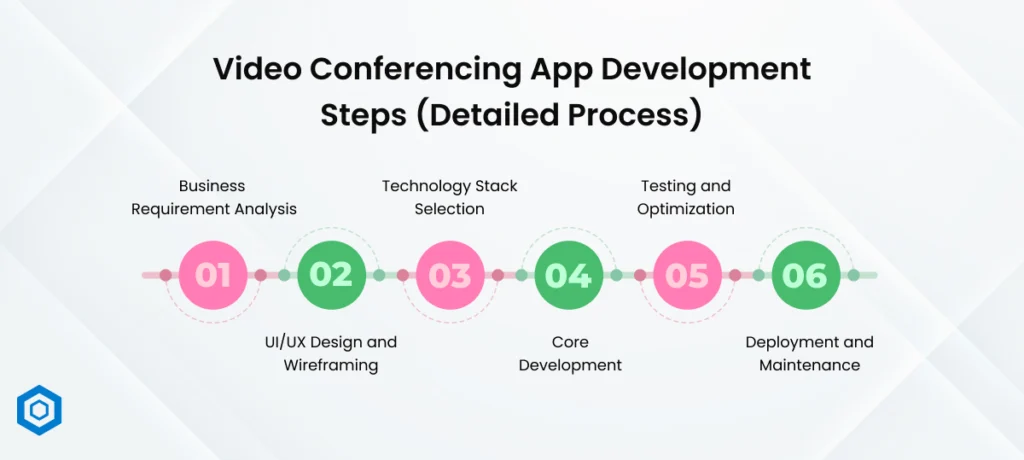
Video Conferencing App Development Steps (Detailed Process)
Understanding the steps in video conferencing app development helps businesses plan timelines and budgets effectively.
Step 1: Business Requirement Analysis
The first step is understanding the business goal — whether the app is for internal use, public users, paid subscriptions, or industry-specific solutions. This stage defines user roles, features, and technical requirements.
Step 2: UI/UX Design and Wireframing
Designers create wireframes and prototypes that show how users will interact with the app. Good UI/UX design ensures ease of use, faster onboarding, and higher user engagement.
Step 3: Technology Stack Selection
Developers choose programming languages, frameworks, cloud services, and video APIs based on performance, scalability, and budget.
Step 4: Core Development
This phase includes backend logic, frontend interfaces, database setup, and API integration. Agile development is commonly used to release features in iterations.
Step 5: Testing and Optimization
The app undergoes functional, security, performance, and load testing to ensure stability under high traffic.
Step 6: Deployment and Maintenance
After launch, the app is monitored continuously. Regular updates, bug fixes, and security patches are essential for long-term success.
Video Conferencing App Development Cost (Realistic Estimate)
The cost to develop a video conferencing app depends on multiple variables, including feature set, platform type, design quality, and third-party integrations.
On average, the video conferencing app development cost can be categorized as:
A basic app with essential features may cost between $8,000 to $15,000.
A mid-level app with group calls and screen sharing can cost between $15,000 and $30,000.
An enterprise-grade solution with AI, analytics, and custom dashboards can exceed $40,000 to $60,000+.
So the typical video conferencing app cost lies between $15,000 and $50,000, depending on business goals.
Factors That Affect Video Conferencing App Cost
The final development cost is influenced by:
Number of supported platforms (web, iOS, Android)
UI/UX complexity
Real-time streaming quality
API usage (Twilio, Agora, Vonage)
Cloud infrastructure
Security and compliance needs (HIPAA, GDPR)
More features and higher performance expectations directly increase the video conferencing app development cost.
Custom Development vs Third-Party Platforms
Third-party platforms charge monthly or per-user fees and limit customisation. In contrast, custom development offers full ownership, complete branding, and long-term cost efficiency. For businesses planning large-scale usage, custom solutions are always more profitable.
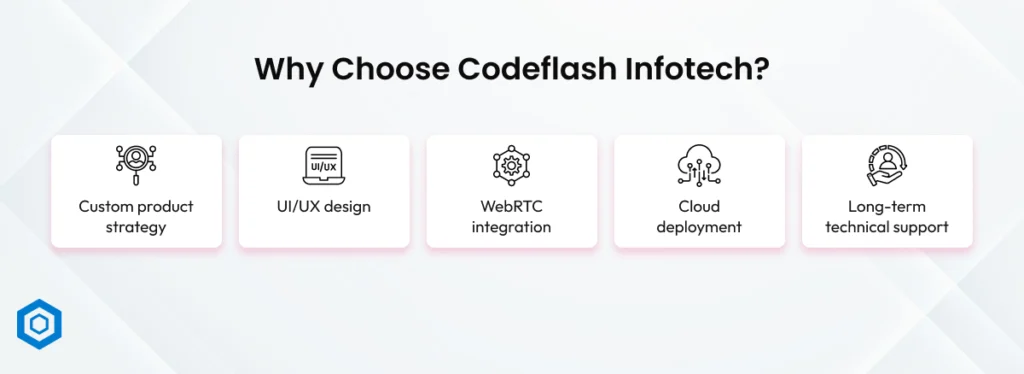
Why Choose Codeflash Infotech?
At Codeflash Infotech, we provide end-to-end video conferencing app development services for startups and enterprises. Our solutions are built with scalability, performance, and security in mind. We also specialize in mobile app development and enterprise software solutions.
Our goal is to deliver high-quality platforms with optimized video conferencing app development costs.
Conclusion
Building a video conferencing platform is not just a technical project — it is a long-term business investment. Understanding the right video conferencing features, following a structured video conferencing app development process, and planning your video conferencing app cost strategically will help you create a successful, scalable solution.
If you want a secure, branded, and high-performing video platform, Codeflash Infotech is the right development partner.